

Pixometry is the new name for Elpical Claro
Pixometry empowers visually stunning content to engage your audience and elevate your story telling.
Pixometry automatically optimises your photos by enhancing the colour, skin tones, contrast and sharpness and adds keywording to create striking and intelligent images in seconds.
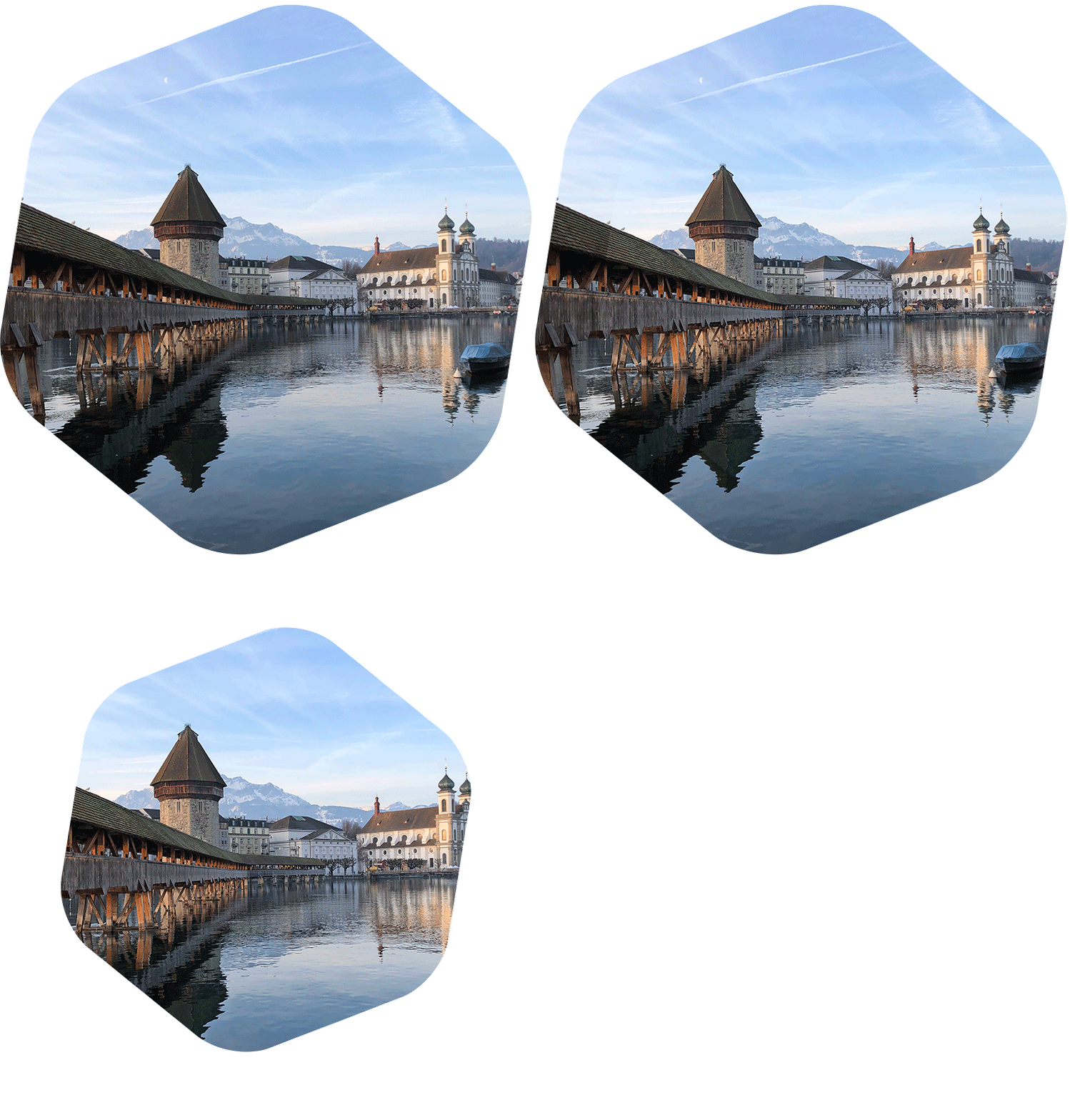
Additionally Pixometry quickly creates highly accurate cut-outs of people, products, vehicles, animals and much more – all with zero clicks.
A picture perfect solution for all of your cross channel publishing needs.
As a content publisher, image enhancement is crucial for a number of reasons:
Automated image enhancement is crucial for content publishers to employ as photos play a critical role in capturing the attention of the audience and effectively conveying the narrative. Images that are of low quality or poorly adjusted can be distracting and may not engage the audience effectively.
Automated image enhancement helps content publishers to quickly and easily enhance images, improving their overall quality, contrast, colour balance, and sharpness, as well as fine-tuning skin tones, highlight and shadow details, and other features. This ensures that the images are visually appealing, convey the desired message, and align with the brand’s reputation.
In addition, automated image enhancement saves content publishers time and effort in manually adjusting images, allowing them to focus on what they do best – create great content.
Increased engagement: High-quality images can help to capture the reader’s attention and make articles more visually appealing and engaging.
Increased discoverability and shareability: Eye-catching visuals can increase the discoverability and shareability of articles, driving more traffic and engagement.
Enhanced brand image: Investing in image enhancement can help to enhance the visual impact of your content and differentiate your publication from competitors. Advertiser’s will associate more closely with higher quality publications.
Better Colour Reproduction: Image enhancement can help to correct colour inaccuracies and improve the overall colour balance of images. This can lead to more accurate and vibrant colour reproduction when the images are printed.
Attracting readers: Images are often the first thing readers notice when flipping through a magazine. Enhancing images makes them more visually appealing, which will attract and retain reader attention.
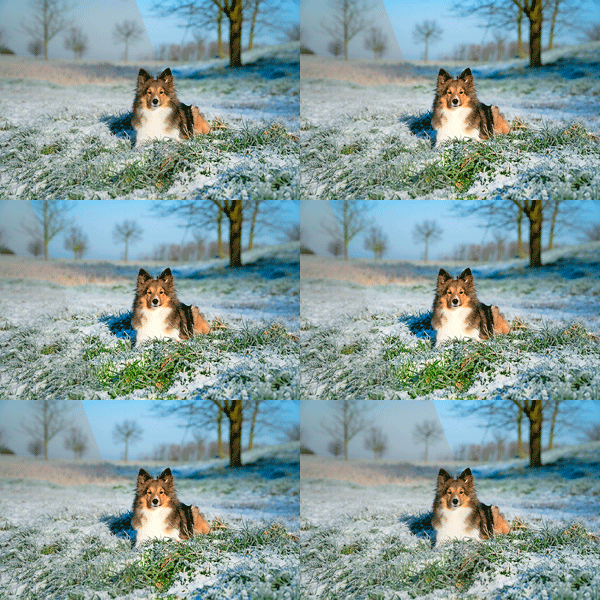
click on the samples below, for a before and after comparison


Workflow
- Create unlimited number of hot folder based workflows (channels)
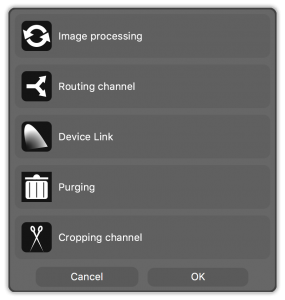
- Routing channels based on image metadata (IPTC, XMP,… ) allows to direct images to a Claro channel, a folder, ftp destination and/or email address
- Claro JobClient for Adobe InDesign seamlessly integrates image optimisation in page layout workflow.
- Elpical Claro Inspector for Photoshop®. Integration for optimum side-by-side control of specific images (Mac & PC)
- Support for Photoshop CS2-CS4 on MacOSX and PC
- Embed processing information into XMP
- Professional backup of original and/or processed files
- Runs as a background server process
- Easy XML based integration into existing workflows
Image manipulation
- Images inside PDF files can be enhanced, resampled and colour converted
- ICC based colour conversions and profile assignment & embedding
- CMYK-to-CMYK conversions without conversion to LAB
- Save Ink (limit total area coverage)
- Device link profile generation, based on source and destination profile
- DeviceLink channels for CMYK to CMYK conversion
- Influence rendering intent based on out-of-gamut percentage
- Resampling and resizing of images
- Add processing data in the XMP data of the processed file
Image optimisation
- Local contrast enhancement of image details with respect for overall image brightness
- Superior control over and dynamic optimisation of sharpness, brightness, saturation, noise, black point/white point, and colour balance
- Recognition and dynamic optimisation of natural greens, blues and skin tones
- Reduce JPEG artefacts
- Red eye reduction, based on image analysis and/or exif flash info
- “contrast in luminosity mode” option to isolate contrast manipulation from colour manipulation
- optional brightness curve to preserve contrast by only manipulating the image’s mid-tones
Claro V13 has 3 focal points: ENHANCE, VISION, REMOVE
1. ENHANCE – Making the image look even better, automatically
Claro delivers a number of powerful new functions and enhanced existing controls
New Toning Functions:
- Brand Colours – detection, protection and correction
- Selective Colour Correction – precise color corrections to specific colours in the image
- Mid Tone contrast control – separate control for contrast in the midtones
- New Colour Balance engine – for greater colour cast identification and reduction
- Minimum Edge Dot Creation – introduces a border around the image edge to ensure a defined border
Extended Toning functionality:
- Advanced highlight contrast controls
- Advanced noise filtering & reduction
- Enhanced Skin Tone recognition engineOperational Functionality
- Regular Expressions Utilization
- OpenJDK support
- Https for client connections and API
2. VISION – Direct integration with Google’s Vision AI engine to provide image understanding and specific toning capabilities
Integrating directly with the exceptional technology from Google, Claro is today capable of utilising Vision, the image recognition AI engine.
Vision provides industry leading accuracy for image understanding. Claro utilises this data to bring truly intelligent, decision based toning and enhancement for all images.
But it’s for more than just image enhancement – in fact it doesn’t have to do anything like that…
Standardised metadata generation & addition to the image’s IPTC metadata
Vision provides standardised metadata terms, utilize Claro for adding this metadata to an image’s IPTC fields – no more need for hours and hours spent manually adding keywords (not to mention all the non standardized terms)… perfect when ingesting content into a DAM.
For the digital teams
Combining the image optimization capabilities of the latest Claro and Vision, online images become more powerful for improving search engine rankings and increasing conversion rates.
- Image Enhancement – Increased click throughs and conversion rates
- Image SEO – Filename automatically appended with keywords
- File size reduction – Thumbs & Full size images resized perfectly for the website
- File Format selection – optimise website loading times with the correct image format
3. REMOVE – Integrate with Remove.bg’s background removal tool to create accurate cutouts and clipping paths in seconds, all inside the Claro workflow
remove.bg
The ‘holy grail’ of the photoshop department, automated clipping paths and cutouts, is now part of the Claro workflow.
Embracing AI integration even further, Elpical is collaborating with Remove.bg the industry leading background removal software to offer image enhancement and automatic cut outs/masks within the Claro workflow.
Send images directly from Claro to the Remove.bg service and you’ll receive a layered file (or transparent.png) ready for all requirements, print, online and more.
Remove image backgrounds in seconds and optimise the photoshop team for their creative skill sets.
* Google Vision and Remove.bg operations require additional sign up with Google and Remove.bg respectively.
